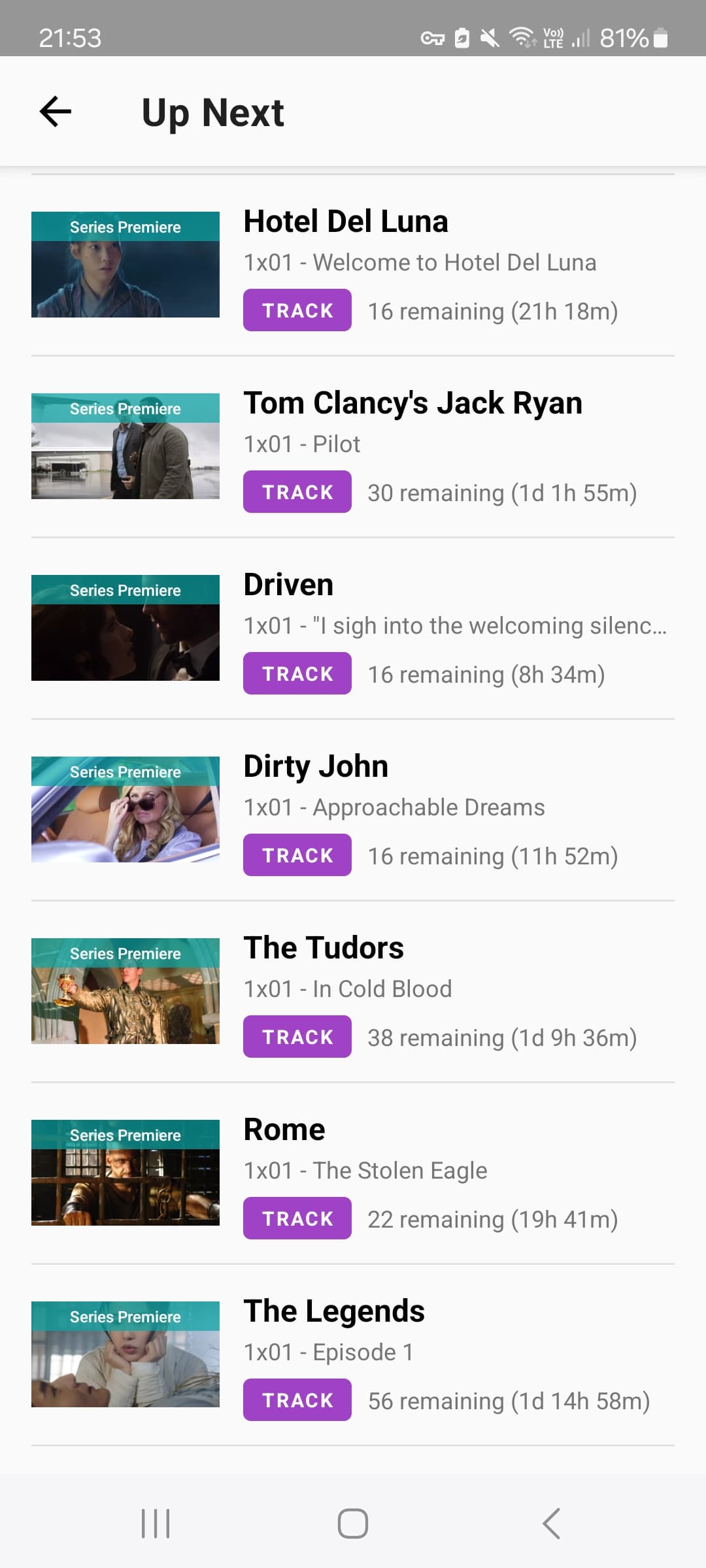
Got it, thanks – I’ll give that a shot. As a middle ground, is there any way (or any plans to create a way) to hide/drop individual seasons instead of an entire show? (edit: nevermind, I didn’t realize that was already a feature, I just had to use Progress instead of Up Next to see it)
Separately, though, the Up Next sorting not working feels like a bug to me – please tell me that one’s not intentional!
I’m seeing the same issue on iOS. There’s a new episode of a show I haven’t watched in a year and a half that’s now at the top of my Up Next, ahead of the shows I’m actively watching, even though I have my sort set to show my most recently watched shows first.
I’m also unable to change the sorting of my Up Next – if I go into the list and change the sort dropdown option, it doesn’t do anything.
Hiding seasons should still work and they shouldn’t show up in the apps if they are hidden.
Are you seeing episodes in your up next from seasons you have hidden?
The sorting issue and the watchlist items being in Up Next are technically the same issue since it’s due to the Up Next behavior change. I promise your issue won’t go unheard!
I’d rather it be an option like we had before. I have never wanted watchlist items in my up next. So hopefully they consider bringing that toggle back.
If this trash change is not reverted in the next day, I will just create a new watchlist list and move everything there from the Trakt default watchlist. Your stupid update will be for nothing.
I truly don’t understand why this change was forced upon us. I don’t want 100 things I’m not actually watching showing up in my up next list just like I don’t want shows I’ve dropped in there. That’s just silly! I already know that season 1, episode 1 is up next because I haven’t started the show yet!
Before we got the drop option, I would just delete dropped shows from my history to clean up my clutter. I guess now we have to waste one of our limited lists to make a separate watchlist so I can just see the thing I’m actually watching in my up next section. This is ridiculous.
My initial issue with “dropped” shows appearing was actually because they were still listed as “hidden”. Changing that resolved this
however, like many others here, I deliberately wanted my Up Now section to only shows I am actively watching, or have started and not dropped. I have 100 items on my watchlist - including them all in Up Now is very unwieldy
Look at my list - why it shows me that I should watch from start, when I have only part of a season left?
I can drop that few shows that showed here, that’s no problem, but I always treated up next as my tracker of ongoing series and to remind me when the new season pops up.
Ah and BTW, I never utilised watchlist. I have 3 shows there. But I know why people got frustrated - I too used it for “well maybe if I have nothing else to do, I’ll give a to go”. If I had dozens of them there, I’d frustrated.
Android app now showing shows in watch list that I haven’t even started. Also showing shows I’ve dropped and up next order is incorrect from website. Everything was working fine before recent update.
Hi, shows you have marked as “Dropped” should not be showing up. I think they are still marked as “Hidden” and weren’t converted to “Dropped” when we changed that. Please go into your settings and look for this option:
I think adding watchlisted items to the Up Next section is silly, but if Trakt wants to do that, how is the system choosing what goes in there?
Because as of now, I see zero logic as to what got pulled into the section. The oldest shows I’ve had sitting in my watchlist for many years are not in the section. The shows I most recently added, also not there. The shows that are the most popular? Nope. Shows with the highest rating? Nope again. How about shows available on streaming? Nope. It doesn’t even appear to have pulled alphabetically!
It literally appears to be random, which is the most pointless of options.