Is it possible to add the “Hide Show from Show Progress” feature that’s in the app to the new website as well?
I know the hide show has been replaced with “drop show”. Sometimes I just want to hide a show from the continuing watching list, I don’t necessarily want to drop it yet.
That option is actually meant to have been removed. I don’t believe we intend to continue offering hide separately as it doesn’t get used for the newer server data sources that are used for “Continue Watching” and Calendar info, etc.
Hmm, okay. I can use the drop feature for instance like that.
But I wanted to know, would we still be able to hide a specific season from my progress list? For example, I’ve watched the newer season of Power Rangers consistently. But that doesn’t apply to the older seasons. So to avoid seeing them in my “continue watching” progress I just hid those seasons.
Would that feature be transferred over to the new UI/app? I hope so
That’s a good question - I think the hidden seasons logic may still be being used under the hood, but I think the intention is to allow skipping seasons or episodes implicitly by just marking the next episode that you want to see as watched and your ‘Continue Watching’ section should start showing you the next episode after that.
You might find that in the beta iOS 3.0 app, and app.trakt.tv, that your ‘Continue Watching’ item for Power Rangers should already be showing the correct ‘next episode’ and once you finish the newest season it should disappear from there. If not, I will have to see if I can get some more information about that.
Hmm, okay I will test it out on my end. For the automatically skipped previous episodes, will there be a prompt that pops up? Because sometimes when I’m manually tracking my shows, I would watch let’s say 5 episodes then mark the 5th episodes and let the app/site automatically add episodes 1-4 as watched as well.
Will this feature also be removed? Or just reworked to accommodate the ability to skip seasons? Or maybe should there be an additional toggle on the season pages that says “skip” similar to how we were able to hide seasons from the “continue watching” list?
That feature to watch previous episodes should be available, yes. The skipping is specifically for if you don’t mark something watched.
eg. if I go to an unwatched show, then choose to mark Season 1 Episode 5 as “watched until here”, that’s going to mark 1-5 watched. Then if you mark episode 7 watched and don’t choose to “watch until here” then episode 6 should be implicitly skipped and your up next should display episode 8 as the next episode.
Assuming say 10 episodes in a season, the same applies if you mark S1 E1-5 watched, then go to mark S3 E1 watched and don’t choose to mark as ‘until here’, episodes S1 E6 up to S2 E10 are implicitly skipped (so a few from S1 + the full season 2), and the next episode should be S3 E2.
Okay, I noticed the “watch until here” today using the stacked dotted menu option. For the skipped episodes/season, will there be some of visual queue to indicate that these episodes/seasons have been skipped? Similar to what is used for “dropped shows”?
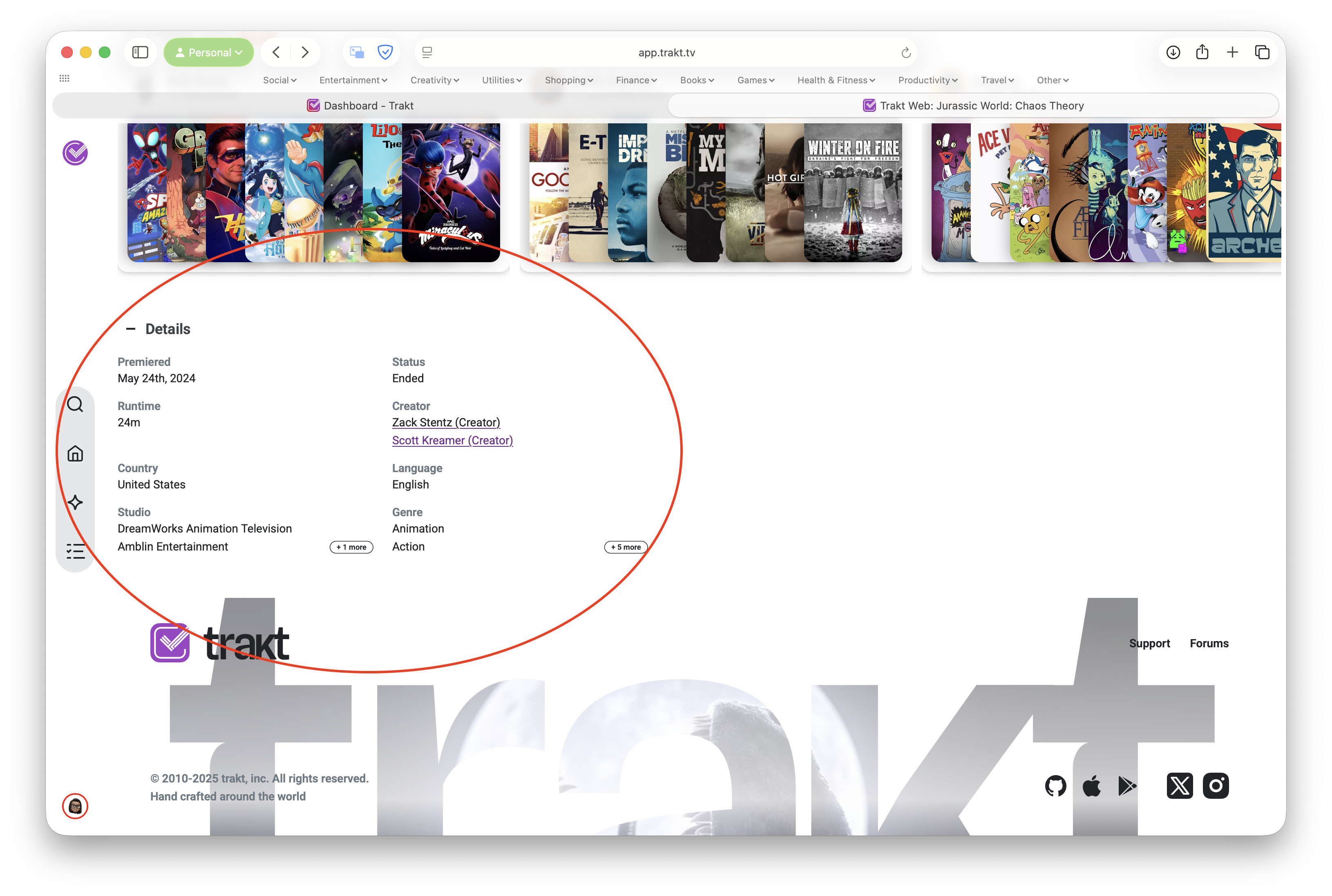
Also, I was using the app.trakt.tv site today and was looking for the longest for the details of a series. It wasn’t until I scrolled all the day down and saw the “details” section. Was there a reason why it was moved from the top to the bottom of the site? It was something that I would tend to look at/for after the summary of the series. (I’m sorry, I know it’s a lot , I’m just trying to give feedback and assist with the new site instead of criticizing it straight off the back)
I don’t think that the implicitly skipped episodes will have any indication anywhere as it’s kind of specific to just the Continue Watching section at the moment.
Not sure on the details section, I believe the majority of the details are available in the top summary area. Which detail were you specifically looking for from that section?
Essentially the main details about the show. At the top only showed the summary details of the show, but when you scrolled down the details like, “premiere date, status, runtime, country and etc” were all the way to the bottom the show page.
I went back on the site a few minutes ago to see if I could get a photo for you, but I noticed that the details mentioned are now at the top of the site. Was the site updated?


 I hope so
 , I’m just trying to give feedback and assist with the new site instead of criticizing it straight off the back)